VitalSource eReader: How to Use Copy/Paste

Jul 01, 2026
1174

G-W provides each user with a specific copy/paste allotment of the content in a book throughout the duration of their subscription. Copying cannot be undone.
Copying Text from the eBook
-
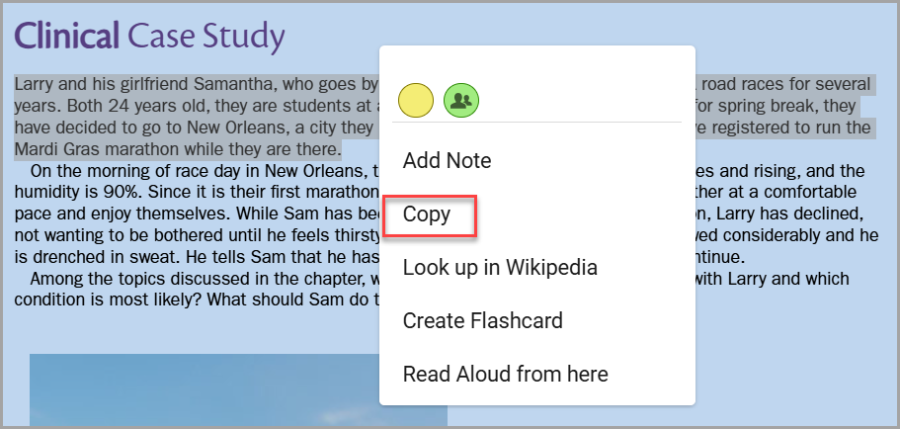
Select and drag your cursor (or finger when using a phone or tablet) to select the text you wish to highlight.
-
Release the cursor/your finger to pull up the menu box and select “Copy”.