

VitalSource eReader: Overview of the eBook Features

Jul 01, 2026
374

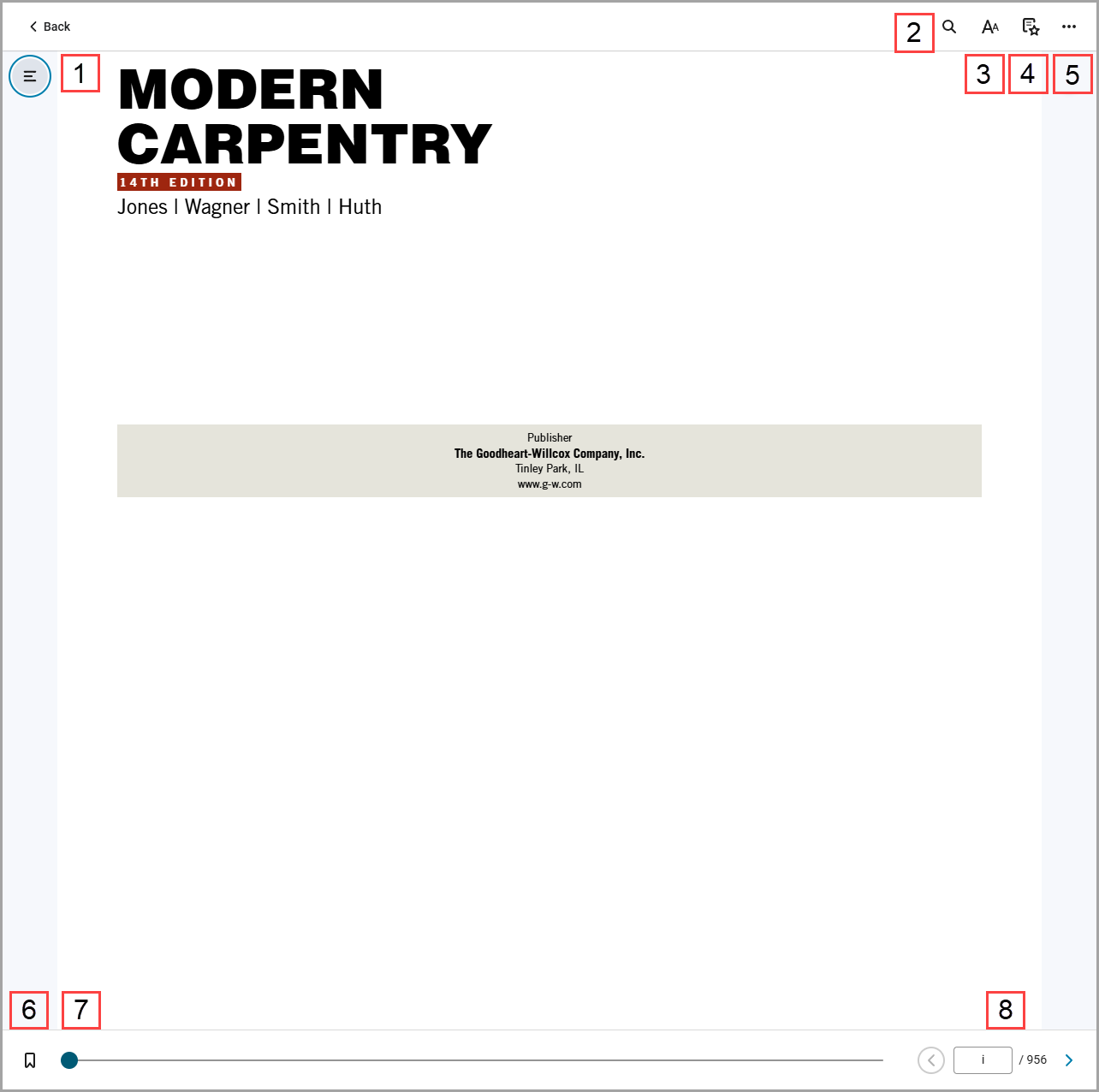
- Table of Contents: Select the table of contents to jump to a specific section, chapter, or unit of the eBook.
- Search: Find key terms within the eBook.
- Reader Settings: You will be able to adjust Text Size, Font Type, Mode, Margins, Line Height, Highlighters, etc.
- Highlights, Notes, Bookmarks, and Flashcards: Find all of your highlights and notes, saved bookmarks, and created flashcard decks.
- More Options: Read Aloud, Print, and Additional Features of your eBook
- Bookmark: Select a specific page to bookmark
- Scrub Bar: Allows you to see where you are in the book and to quickly jump to another page or chapter.
- Page Input: Enter a page number and press "Enter" on your keyboard to bring you to the top of that page.

