VitalSource eReader: Getting Help from VitalSource

Jul 01, 2026
 1
1
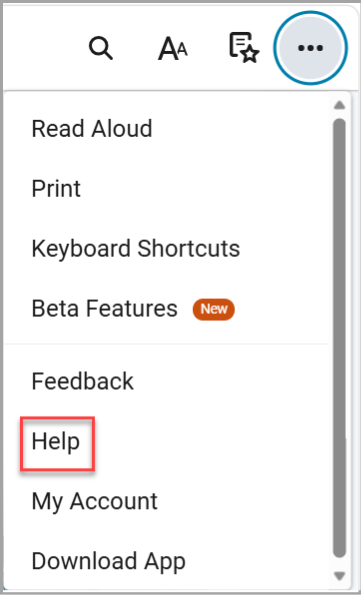
- To get support from VitalSource, select the 3 dots in the upper right-hand corner.

- Select “Help” from the menu.
- A Help window will appear with four options.
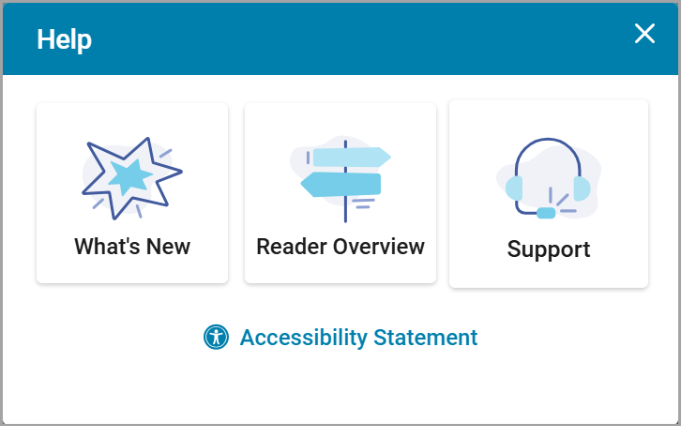
- “What's New” tells you more about the latest VitalSource features.
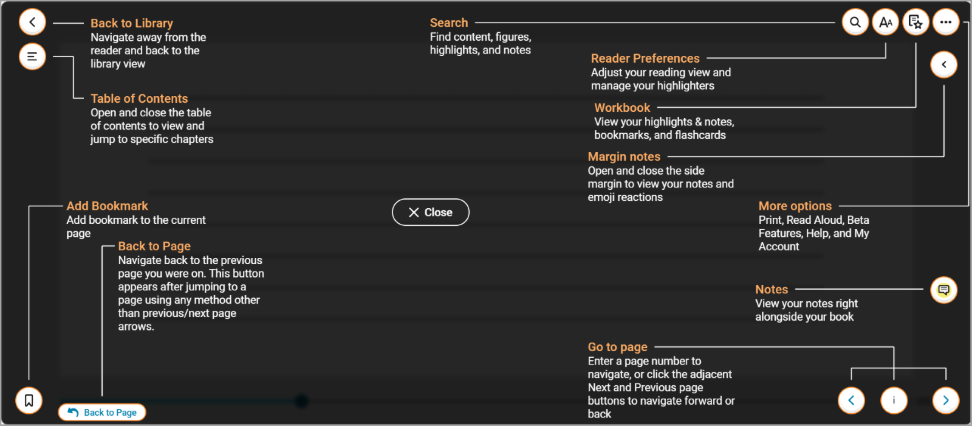
- ”Reader Overview” provides an interface map with descriptions for the VitalSource reader.
- “Support” will link you directly to VitalSource’s support page where you can browse articles or contact the VitalSource Support team.

- ”Accessibility Statement” will link you directly to the VitalSource Accessibility page containing articles on accessibility and a link to contact VitalSource for requests.