

G-W Assessment: Accessibility and Universal Design
Last updated: Oct 15, 2026
1045
views

G-W is dedicated to creating accessible learning experiences for all users. We conduct extensive accessibility testing, both internally and with third-party experts, to ensure our products meet WCAG 2.1 Level AA standards and support successful learning for everyone. Key features include:
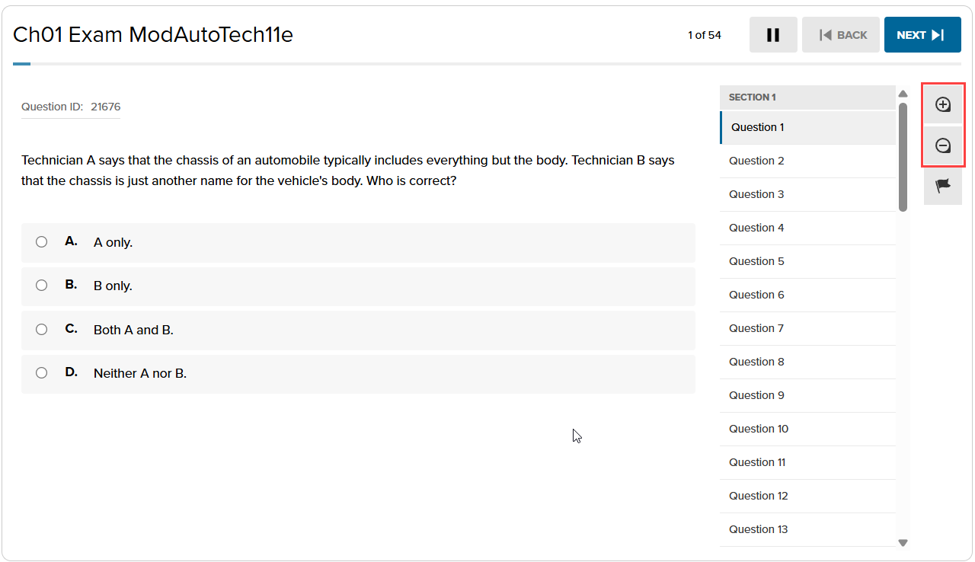
- Customizable Text Size: Instructors and students can easily adjust the font size of the question prompts and responses using intuitive + and – buttons:
- Audio Accessibility: When enabled by the instructor, students can activate a Read Aloud feature to hear question prompts, responses, and passages read aloud using their device's built-in native screen reader.
- Image Descriptions: All images used in assessments include alt text attributes, providing descriptive information to support users who rely on screen readers.
- Transcripts: Video and audio content include transcripts, allowing users to review content in text format or access information in an alternative modality.
- Keyboard Shortcuts for Short Answer/ Essay Questions: Users can navigate and interact with short answers and essay response fields using keyboard controls. Use the Tab key to reach the response field, then press Alt+F10 to enter the CKEditor. From there, use the arrow keys to navigate through the available options.
- Reading Assistance: The line reader and highlighter feature can be enabled by the instructor, providing students with tools that support effective reading strategies. These features help improve focus, comprehension, and engagement with content.
- Testing Strategy Support: The option eliminator feature allows students to remove distractors, supporting active reasoning by encouraging thoughtful evaluation of answer choices. This helps improve accuracy while decreasing cognitive load during assessments.
- Calculator: Basic, scientific, and graphing calculators allow students to bypass memory or processing barriers and focus entirely on conceptual problem solving. All calculators are fully keyboard accessible.

