


Watch: Accessing G-W Assessment from G-W Online

Feb 19, 2026
 866
866
G-W Assessment is a cloud-based platform that is easy to use and provides access to the most current test bank questions for your course.
G-W Assessment will be available for 2026 copyright titles and newer.
Watch this video tutorial and learn how to:
- Activate G-W Assessment from G-W Online
- Navigate the G-W Assessment Welcome Page
- Get Help from G-W Support
Step-by-Step Instructions
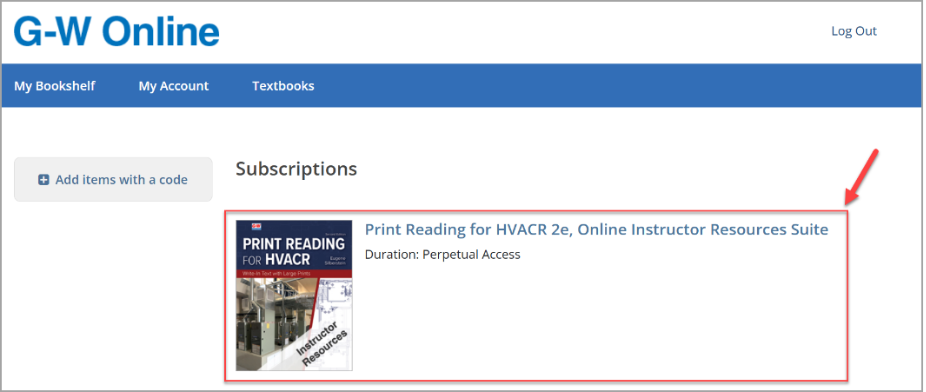
Upon logging into G-W Online, navigate to your bookshelf to view all current subscriptions along with their access duration.
- Select the title to open the Online Instructor Resources Suite.
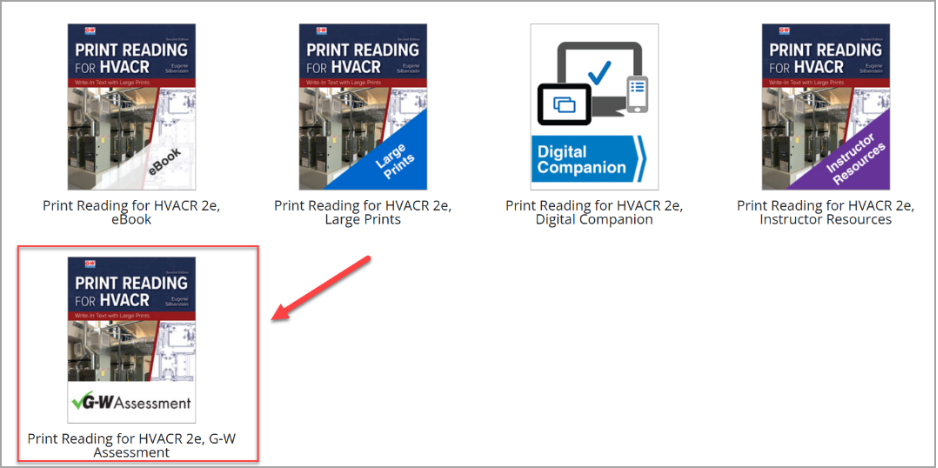
- Select G-W Assessment from the list of available instructor resources.
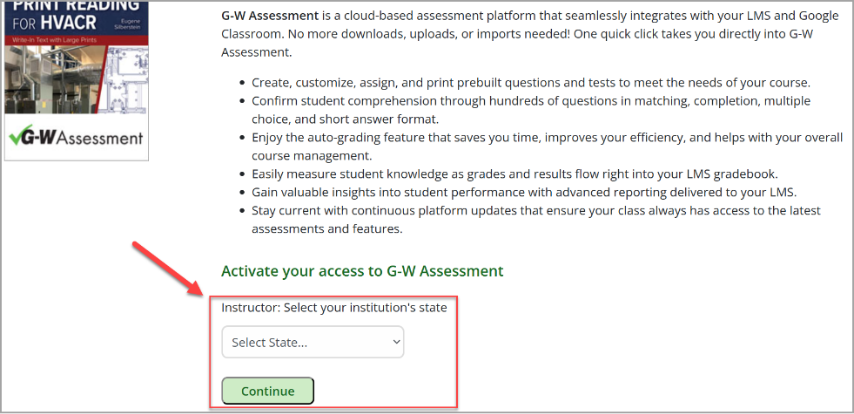
- Use the drop-down to enter your institution’s state and then select Continue.
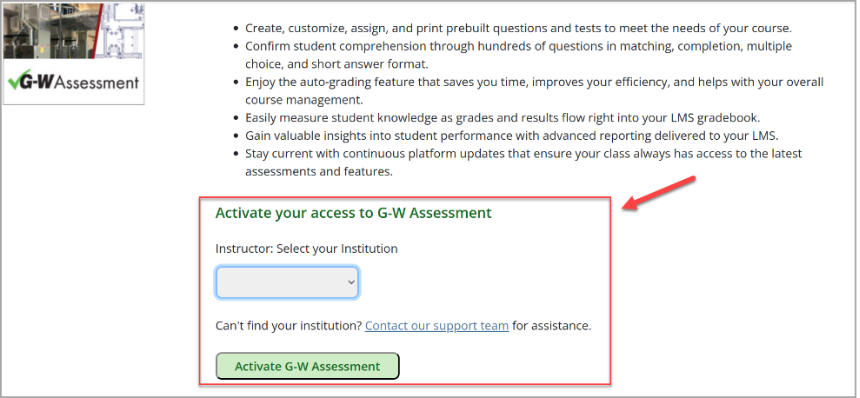
- Use the drop-down to select your institution and then select Activate G-W Assessment.
Note: If your institution is not listed, select Contact our support team for assistance.
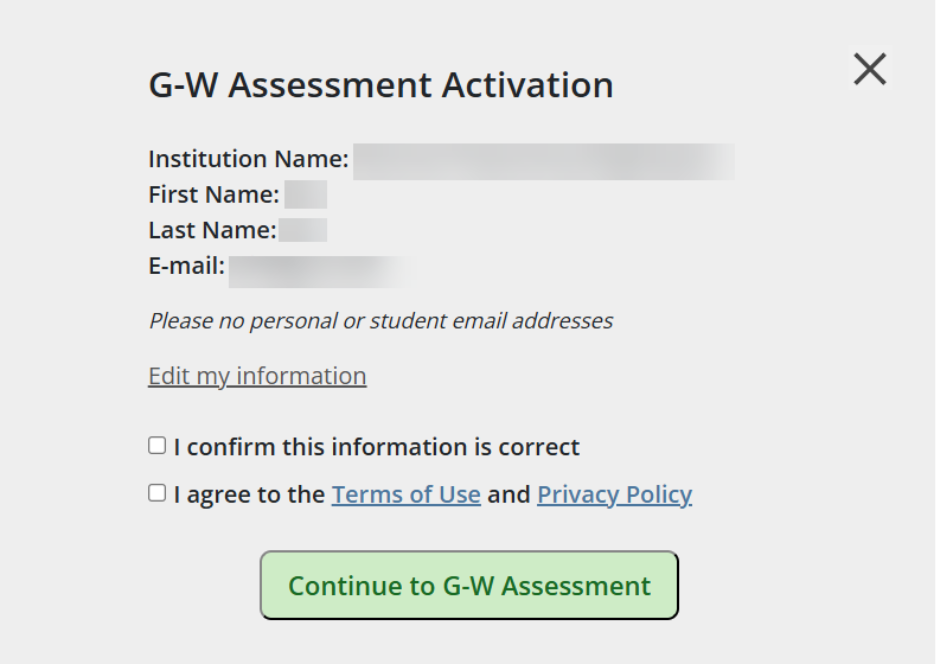
- Confirm your institution, name, and email address are correct and that you accept the terms of use and privacy policy. Then, select Continue to G-W Assessment.
- Upon successful activation, you will be redirected to G-W Assessment Welcome page.
- This is a one-time activation. When you next log back into G-W Online, you will see the option to Access G-W Assessment.

