

G-W Ignite Accounting: Attempts Feature

Feb 09, 2026
350

A new attempts feature is available for Accounting! This will allow you select how many attempts you want students to have on an assignment.
- Navigate to the assignment you would like to assign out and select Assign.

- Under Mode Option, using the drop down menu, select the attempts option you prefer for the assignment.
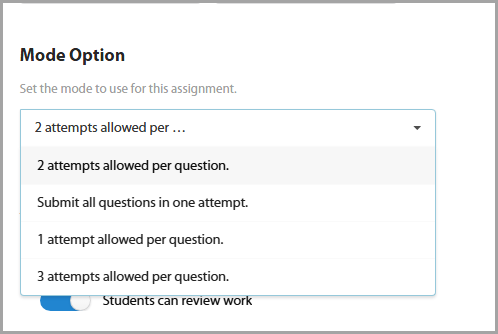
- Adjust any additional settings for the assignment and then click the assign button.
Note: This feature is available for the whole class, a group of students, individual students, or all classes.

